Preparing your lawn and Husqvarna Automower® for the mowing season
This is your complete spring startup guide. For a seasonal overview covering summer and autumn/winter as well, visit the Automower® support guide by season.
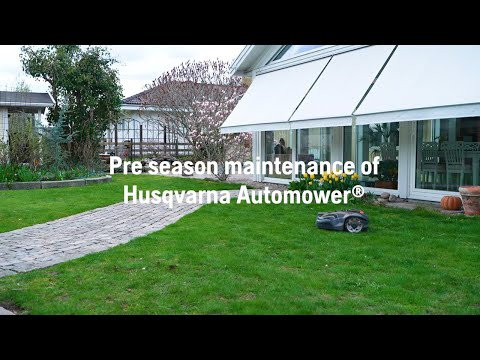
As the temperature rises and grass growth accelerates, the mowing season begins. This article provides a detailed guide on how to prepare your Automower® robotic lawn mower and lawn for the mowing season.
When to start mowing the grass
Start mowing the grass when it begins to grow actively. Premature mowing can damage the grass blades, hindering the ability of the lawn to regrow properly. The grass typically begins to grow around 8°C (40°F), though this may vary depending on grass type. A useful guideline is to wait until the grass reaches a height of 5 to 7 centimetres (2-2.8 inches) before conducting the season’s first mow. This rule also applies when sowing new grass.
Steps to get your lawn ready for mowing
Cleaning up
Show more
Show more
Rake leaves and clean up any garden debris (sticks, pine cones, leaves and scattered mulch) to prevent grass mould and reduce wear on the mower’s blades.
Aerating
Show more
Show more
- Use a pitchfork or lawn aerator to loosen compacted soil and promote an oxygen-rich environment for healthy root development.
- In boundary wire installations, be careful not to damage the wire.
Overseeding
Show more
Show more
- Overseed bare or patchy areas.
- Keep the surface moist and cover with a fibre cloth for faster germination.
- If your Automower® model supports Zone Control, create a stay-out zone to prevent the mower from entering areas with newly sown grass.
- For other models, use Automower® Temporary Fence, Automower® FlexiFence or Automower® Area Switch.
Fertilising
Show more
Show more
- Fertilise to maintain a green and healthy lawn.
- Consider using a slow-release fertiliser for more uniform growth.
Watering the lawn
Show more
Show more
Start watering if it’s a dry spring.
Getting Automower® ready for the season
Installing the charging station
Show more
Show more
- Place the charging station in its designated location. Learn about optimal placement and installation of the Automower® charging station.
- Ensure the LED on the charging station is solid green.
- Place the mower in the charging station to charge.
- If the charging station light flashes blue and there is no loop signal, check our troubleshooting information.
Download firmware updates
Show more
Show more
- Regular firmware updates for your Automower® robotic lawn mower ensure it performs optimally and benefits from new features, enhancements and security fixes.
- The Automower® Connect app will notify you when new firmware is available for your mower or charging station.
- Learn more about FOTA (Firmware Over The Air).
Check the Automower® Connect app version
Show more
Show more
Ensure you have downloaded the latest version of the Automower® Connect app to get fixes and new features. Enable automatic updates in your mobile device’s app store to always have the latest features and fixes without manual checks.
Solve connection issues
Show more
Show more
If your mower is not connecting or appears offline, try these steps first:
- Restart the mower and your phone.
- Bluetooth models: Make sure you are within 5 metres of the mower and that Bluetooth is active on your device.
- Wi-Fi models: Verify that the Wi-Fi network is connected to the internet.
- Cellular models: Check that both your phone and the mower have network coverage.
- In the app, navigate to More > Settings > Automower Connect. Enter your PIN. Check if your mower is paired with the app, your home Wi-Fi and the mobile network (depending on model).
Checking the mower blades
Show more
Show more
- Sharp blades are essential for a clean-cut lawn and for protecting grass against diseases.
- Replace blades if not changed at the end of last season.
- Always replace the screw at the same time as the blade.
- Learn more about when and how to change blades on an Automower® robotic lawn mower
Checking the mowing settings and starting operation
Show more
Show more
- Set a schedule: Once your mower is charged and scheduled to operate, it will start mowing. Read more about the Automower® Scheduler Tool.
- Set the cutting height: When you mow your lawn for the first time after winter, it is important not to mow it too short as this can cause stress to the grass and leave it vulnerable to disease or weeds. Start with a high cutting height and gradually lower it. Read our guide on how to change the cutting height on your Automower® robotic lawn mower.
- Use the TargetHeight feature in the Automower® Connect app for automatic, gradual adjustment of the cutting height (available for selected Automower® models).
Wire free (EPOS®) installations
Show more
Show more
Install the reference station
- If you use a local reference station and it was stored during winter, reinstall it on the mount and plug it in. A solid green light indicates it’s working correctly.
- If you have issues when setting up the reference station, read our article Troubleshooting reference station issues during EPOS® setup of Automower®.
Check your installation
- Review your work areas, stay-out zones and transport paths in the Automower® Connect app. Adjust if your garden layout has changed since last season.
- For Wi-Fi only mowers using EPOS® via Husqvarna Cloud, verify stable Wi-Fi coverage across the entire work area.
- Check our full step guide to Install Automower® with EPOS® wire free technology.
Wi-Fi and internet coverage
In EPOS® wire free installations via the Husqvarna Cloud, Automower® requires a stable internet connection across the entire lawn to operate. Automower® will not operate if it loses internet connection. If your mower stops unexpectedly after reinstallation in spring, ensure Wi-Fi coverage first.
Why does Automower® keep stopping? EPOS® wire free signal issues
Fix areas with weak satellite signals
In areas with limited sky visibility, near walls, fences or dense trees, satellite signal can be too weak for accurate EPOS® positioning. Two solutions are available depending on your model:
- AI vision models: The built-in camera provides back-up navigation when satellite signal is lost. If grass is detected, the mower continues mowing for a limited distance. If no grass is found, it stops and waits for satellite signal to recover. No wire installation is needed. How AI vision technology works in Automower®
- EPOS® Support by Wire (available for selected Automower® NERA models): Lay a physical loop wire at least 2 m outside the problem area and connect it to the charging station pins AR and AL. Enable it in the app under Settings > Accessories > EPOS® Support by Wire > Enable. Maximum wire length: 800 m. EPOS® Support by Wire: Installation and tips for Automower® NERA
Enabling smart Automower® features for a healthier lawn
- Use Automower® Smart Routines to adapt to changing weather conditions (for models with cellular or Wi-Fi connectivity).
- In the Smart Home section of the Automower® Connect app, you’ll find Rain Guard and Frost Guard, smart routines that automatically park your mower when the forecast predicts heavy rain or frost.
Boundary wire installations
Show more
Show more
Connect the cables to the charging station
Ensure each wire is connected to the correct charging station pin. Read our detailed article about connecting the boundary and guide wires to the charging station.
Checking the boundary wire installation
- Walk around your garden and check the boundary wire installation.
- Ensure no stakes have come out and that there is no visible damage to the boundary wire.
- Get more tips about how to prevent wire break here.
- If the mower only operates in half the lawn, it is likely that you have connected a boundary or guide wire to the wrong charging station pin. Check that the connectors are connected to the charging station pins correctly. For more information refer to: Why is Automower® only mowing portions of the lawn?
- Check our full step guide to Install Automower® with a physical boundary wire.


