Husqvarna Automower®: Spiral and spot cutting features
Spiral cutting and spot cutting are two mowing features designed to quickly and systematically mow areas of the lawn with longer grass. The availability of these features varies by model. Some models are equipped with both, while others only offer spiral cutting.
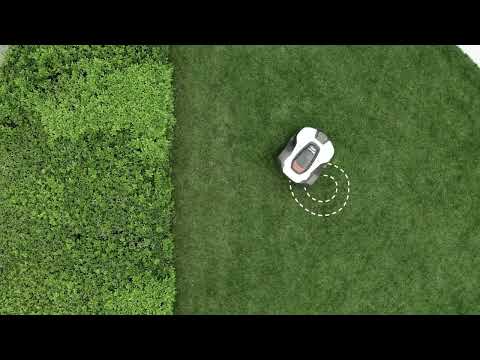
Spiral cutting vs spot cutting
- Spiral cutting activates automatically when the lawn mower detects areas with long grass during operation.
- Spot cutting requires manual placement in the desired area and manual activation.
- After completing spiral or spot cutting, the robotic lawn mower will resume regular mowing.
Spiral cutting
Understand how it works, sensitivity settings, and how to set it up:
Understand how it works, sensitivity settings, and how to set it up:
When spiral cutting is activated, the cutting disc sensors detect when the lawn mower enters an area with higher grass. The lawn mower then automatically switches to a spiral pattern, allowing it to cut the area with longer grass more quickly. Once finished, it will automatically continue to mow the lawn as usual.
Availability
Spiral cutting is available on Automower® models with a keypad, and on models with the Automower® Access solution (jog wheel).
Spiral cutting sensitivity settings
Purpose: Adjusts how frequently spiral cutting is used based on the lawn’s condition.
Sensitivity levels:
- Very low
- Low
- Medium
- High
- Very high
Functionality:
- A higher sensitivity setting (e.g. Very high) > Spiral cutting is triggered more frequently.
- A lower sensitivity setting (e.g. Very low) > Spiral cutting is triggered less frequently.
Operating conditions
- Spiral cutting is only initiated in Main Area mode.
- The robotic lawn mower does not start spiral cutting in Secondary Area mode.
- Spiral cutting will not start on slopes steeper than 17%.
- Spiral cutting is only available when using an irregular mowing pattern and is not supported during systematic mowing.
- If your mower often switches to spiral cutting mode, it may be because the lawn isn’t being mowed often or long enough, leaving patches of high grass. To fix this, review and update the cutting schedule if necessary.
Setting up spiral cutting
For lawn mowers with a jog wheel:
You can find the spiral cutting feature in the Automower® Connect app:
- Open the Automower® Connect app.
- Select your lawn mower.
- Click on More > Settings > Operation > Enable Spiral cutting.
- Choose the desired sensitivity.
For lawn mowers with a keypad:
- Access the lawn mower’s menu on the display.
- Navigate through the menu using the arrow and OK buttons: Settings > Spiral cutting > Use spiral cutting.
- Choose the desired sensitivity.
- Press the BACK button to exit.
Spot cutting
Understand how it works, the availability, and how to set it up:
Understand how it works, the availability, and how to set it up:
Spot cutting is also a feature for lawn areas with high grass. Unlike spiral cutting, the lawn mower must be placed manually in the area with high grass and the feature activated manually. The lawn mower will automatically resume the mowing in the Main area or Secondary area operating mode when finished.
Availability
Spot cutting is only available on Automower® robotic lawn mowers with a keypad. It is not available on Automower® NERA models or Automower® 435 AWD.
How to use spot cutting
- Place the lawn mower in the area with high grass that needs spot cutting.
- Press Start on the keypad and select the operating mode Spot cutting.
- Close the hatch.
- The lawn mower will mow in tight spirals and automatically resume mowing.
- Works in both Main and Secondary areas.
- This feature is especially useful in areas beneath furniture or objects like children’s trampolines.


