What is EdgeCut and how do I use it?
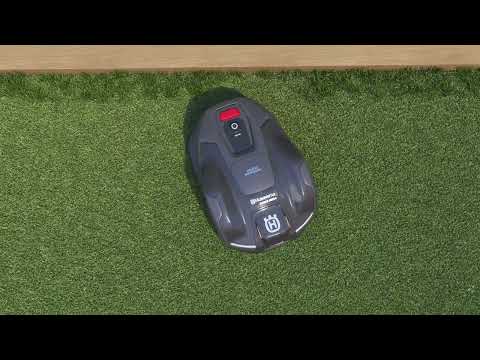
What is EdgeCut?
EdgeCut is a feature that efficiently cuts the edges of your lawn, saving you time and effort.
EdgeCut models
EdgeCut is available on the following Automower® models:
- 305E NERA, 310E NERA, 405XE NERA, 410XE NERA
- 405VE NERA, 410VE NERA
How does EdgeCut work?
Learn how EdgeCut operates
Learn how EdgeCut operates
- A dedicated cutting disc for edges is located in the rear of the mower. It has a fixed position of 45 mm (1.77 inches) for an optimal cutting result.
- EdgeCut activates when the mower approaches a physical or virtual boundary. The mower performs a sweeping turn, allowing the disc to cut along the boundary.
- The mower and cutting disc alternate rotation direction to guide grass into the disc effectively.
- EdgeCut can be turned OFF in the app if not needed.
EdgeCut and systematic mowing patterns
Considerations for EdgeCut and mowing patterns
Considerations for EdgeCut and mowing patterns
Optimal edge-cutting patterns
- Alternate mowing directions for best edge cutting results.
- Checkerboard or triangle patterns cover edges from multiple angles. Parallel patterns may leave edges uncut.
EdgeCut on slopes
- Mow straight up slopes when possible.
- Checkerboard patterns can cause the mower to cross the slope side to side in the other direction, potentially causing wear on the lawn or causing the mower to slip.
- Set mowing at a 45° angle to the slope for better incline handling and edge cutting.
- If issues persist, use one-direction mowing or create a separate work area with random mowing pattern for the slope.
EdgeCut and stay-out zones
EdgeCut activation and boundaries
EdgeCut activation and boundaries
- Stay-out zones created with AIM Technology (Automower® Intelligent Mapping) do not trigger EdgeCut.
- Stay-out zones created with EPOS® Technology are considered virtual boundaries and will trigger EdgeCut.
Importance of precise installation
A precise installation is key for optimal edge cutting.
Ensure that you follow the installation instructions:
Using EdgeCut in existing installations
Considerations for existing setups
Considerations for existing setups
If you already have a boundary wire installation in your lawn, it can be difficult to know how precise the installation is.
- If the boundary wire is placed at a closer distance to obstacles than is recommended, the mower will bounce against the obstacle and perform an EdgeCut.
- If the boundary wire is placed at a greater distance to obstacles than is recommended, more grass will remain uncut. The drive past wire function can be used to reduce the gap.
Checking and cleaning the EdgeCut disc guard
Maintenance tips
Maintenance tips
Inspect and clean the disc guard regularly. How often you need to clean the guard depends on grass buildup.
- Spring: Wet, fast-growing grass clogs easily.
- Autumn: Wet leaves can block the guard.
How to clean the EdgeCut disc guard
- Wear protective gloves.
- Turn the mower OFF.
- Place the mower upside down on a soft surface.
- Brush away grass or rinse with a hose.
- Do not use a pressure washer.
Replacing EdgeCut disc blades
Blade types and replacement guidelines
Blade types and replacement guidelines
The EdgeCut disc blades, just like the main disc blades, must all be of the same type. Do not mix different blade types on the same disc. You may use one blade type on the EdgeCut disc (for example Automower® Classic blades) and a different type on the main disc (for example Automower® Endurance blades), but each disc should only have one blade type. Always replace the screws when you change the blades.
For detailed instructions on blade types and how to replace them, see this article: How and when to change the blades on your Automower® robotic lawn mower.
Related articles: What is systematic mowing? | Automower® installation for steep slopes | How to clean your Automower® robotic lawn mower