Object avoidance with radar or ultrasonic sensors in Automower® robotic lawn mowers
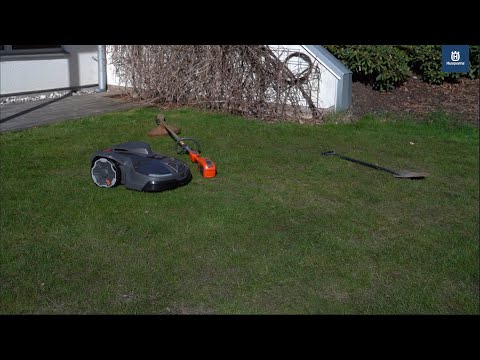
Object avoidance with radar or ultrasonic sensors is a feature that enables your Automower® robotic lawn mower to detect and navigate around objects that rise above the grass. Depending on the model, the lawn mower uses either radar or ultrasonic sensors to identify obstacles. When an object is detected, the lawn mower adjusts its course and continues mowing, helping to reduce operational stops, minimise damage to objects and protect wildlife on your lawn.
Note: Automower® models with AI vision cameras use a different technology for object detection and avoidance. Learn about object detection with AI vision technology.
Supported models
The following Automower® models include in-built object detection and avoidance technology:
Models with radar sensors
- Automower® 405XE NERA
- Automower® 410XE NERA
- Automower® 430X NERA
- Automower® 450X NERA
- Automower® 435X AWD
Models with ultrasonic sensors
- Automower® 435X AWD NERA
Note: Other Automower® models do not contain the required sensors and therefore do not support this feature.
How does object avoidance work?
Sensors in the lawn mower continuously scan the area in front as it moves across the lawn. When they detect an obstacle, the lawn mower automatically changes direction to avoid it. This technology works best with solid objects that have a distinct surface.
Grass and vegetation sensitivity
The sensors may detect tall grass, flowers or other vegetation as objects. If your lawn has very high grass or tall dandelions in some areas, you may want to disable object avoidance temporarily to avoid leaving uncut patches on your lawn.
Detection limitations
The effectiveness of object avoidance depends on several factors:
- Object size: Small objects like golf balls may be difficult to detect, especially when hidden in tall grass.
- Grass height: The higher the grass, the more challenging it becomes for sensors to distinguish objects from vegetation.
- Object placement: Objects lying flat or very close to the ground may not be detected.
Boundary area exceptions
Within 1.2 metres (4 feet) of the work area boundary, object avoidance is automatically disabled to ensure complete lawn coverage. This means the lawn mower will not detect or avoid objects in this area. This applies to both virtual boundaries and physical boundary wires.
Not a safety feature
While object avoidance is very effective at detecting objects on the lawn, it is not a safety feature. There is no guarantee that objects will not be run over, as detection success depends on multiple factors including object size, placement and grass height.
Enabling and disabling object avoidance
- Open the Automower® Connect app.
- Select More > Settings > Accessories.
- Use the slider to enable or disable object avoidance.
If the app doesn’t display this feature, make sure you’ve installed the latest firmware update for your lawn mower and are using the most recent version of the Automower® Connect app.